

January 20, 2026
Introducing Automations & Webhooks: Connect Spectacle to Your Entire Stack

On this page
Your leads don't wait, and now your workflows won't either.
Today we're launching Automations, a powerful new feature that lets you trigger actions the moment something important happens in Spectacle. No more checking dashboards, no more missed opportunities, no more manual handoffs between tools.

Choose from contact and company events to trigger your automations
Real-Time Reactions to Real Signals
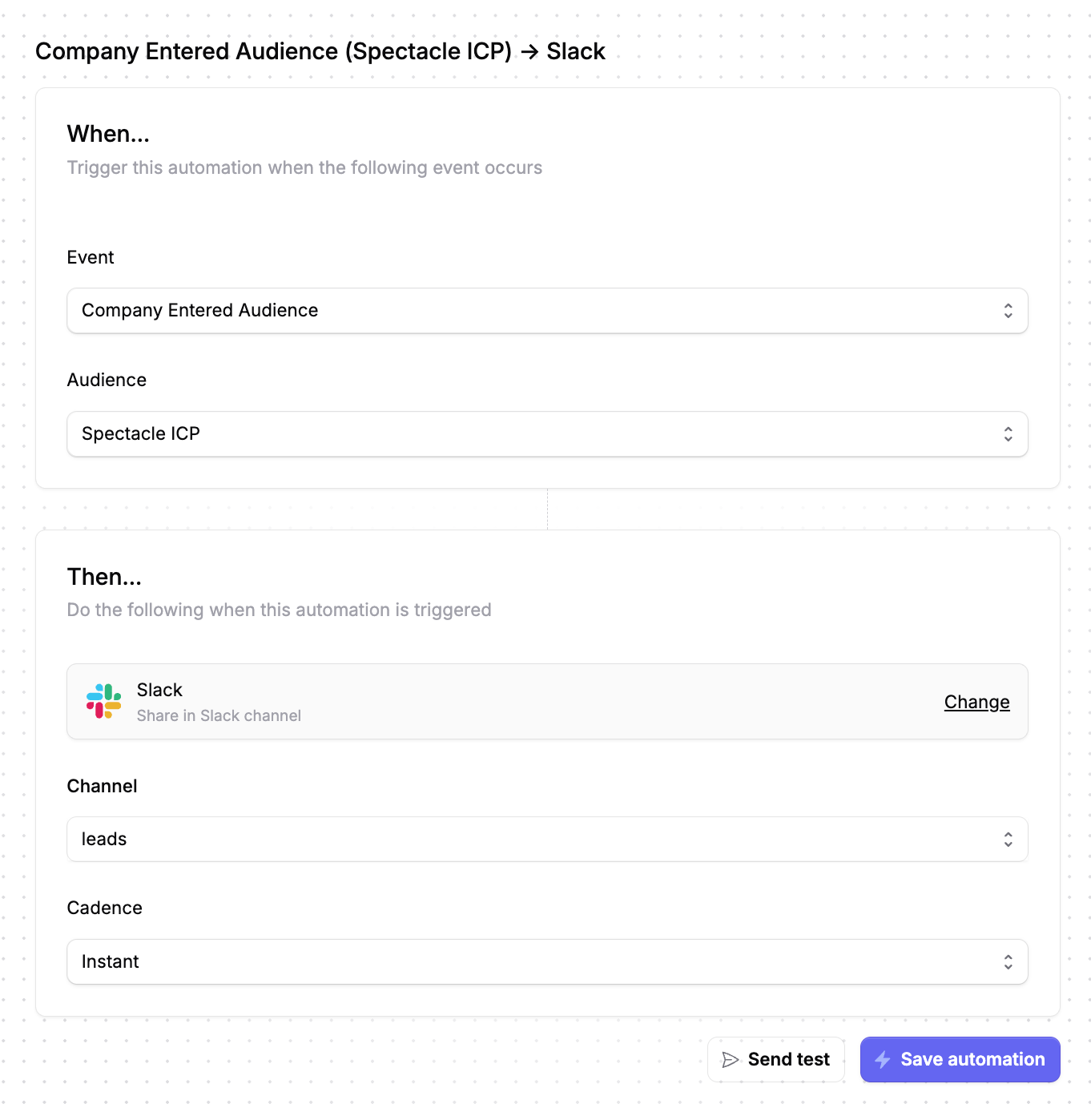
Automations follow a simple "When... Then..." model. When a trigger event occurs—like a contact entering an audience or a company being unmasked by Lens—Spectacle automatically performs an action like sending a webhook or posting to Slack.
This means you can build workflows like:
- Alert sales instantly when a target account visits your pricing page multiple times
- Notify your team in Slack when a prospect becomes highly qualified based on lead scoring
- Sync hot leads to your CRM the moment they match your ideal customer profile
- Trigger nurture sequences when contacts engage with your LinkedIn campaigns
Audiences Are Your Superpower
The real magic happens when you combine automations with Spectacle's audience builder. Since audiences can include any combination of:
- CRM data (industry, company size, deal stage)
- Website behavior (pages visited, session frequency, time on site)
- In-app events (feature usage, activation milestones)
- Ad engagement (Google Ads clicks, LinkedIn campaign interactions)
...your automations can react to incredibly specific scenarios. Imagine triggering a Slack alert only when enterprise companies visit your pricing page after clicking a LinkedIn ad, that's the kind of precision that turns marketing data into sales wins.
Two Ways to Take Action
Slack Notifications
Get instant alerts in the channels where your team already works. Perfect for time-sensitive opportunities that need immediate attention.
Webhooks
Send data to any system that accepts HTTP requests—your CRM, marketing automation platform, data warehouse, or custom applications. Each webhook includes a signed payload for security, with detailed documentation for implementation.
Built for Reliability
We know automations are only useful if they're dependable:
- Automatic retries with exponential backoff if deliveries fail
- Delivery debugger to inspect every attempt, see response codes, and troubleshoot issues
- Test mode to verify your endpoints before going live
- Batched delivery options for high-volume events where you prefer consolidated updates
Getting Started
Setting up an automation takes less than a minute:
- Navigate to Automations and click "New automation"
- Select your trigger event (contact entered audience, company unmasked, lead scored, etc.)
- Choose your audience (for audience-based triggers)
- Configure your destination—Slack channel or webhook URL
- Test and save
That's it. Your workflows are now running 24/7.
Ready to connect Spectacle to your stack? Set up your first automation →
Questions about webhooks or need help with implementation? Check out our webhook documentation or reach out to support.
Latest insights