
Spectacle How-To

January 14, 2026
Set Up Your First Sales Alert in 2 Minutes (Lens + Slack)
Vincent Gaemers

On this page
Identifying companies on your website is powerful.
But nothing changes until your team acts on it.
That’s why Spectacle Lens is built together with Automations, so the moment a company shows buying intent, sales knows immediately.
In this guide, we’ll show you how to set up your first real-time sales alert in under two minutes.
No code.
No dashboards.
No waiting.
What You’ll Build
By the end of this setup, you’ll have:
“Whenever a company visits our pricing page, sales gets an instant Slack alert with full context.”
This works for:
- Target accounts
- Enterprise prospects
- Existing customers showing risk signals
We’ll start with the simplest version.
Step 1: Identify Companies Automatically
If Lens is enabled, this part is already done.
As visitors land on your website, Spectacle Lens identifies which companies are behind that traffic, without requiring a form fill.
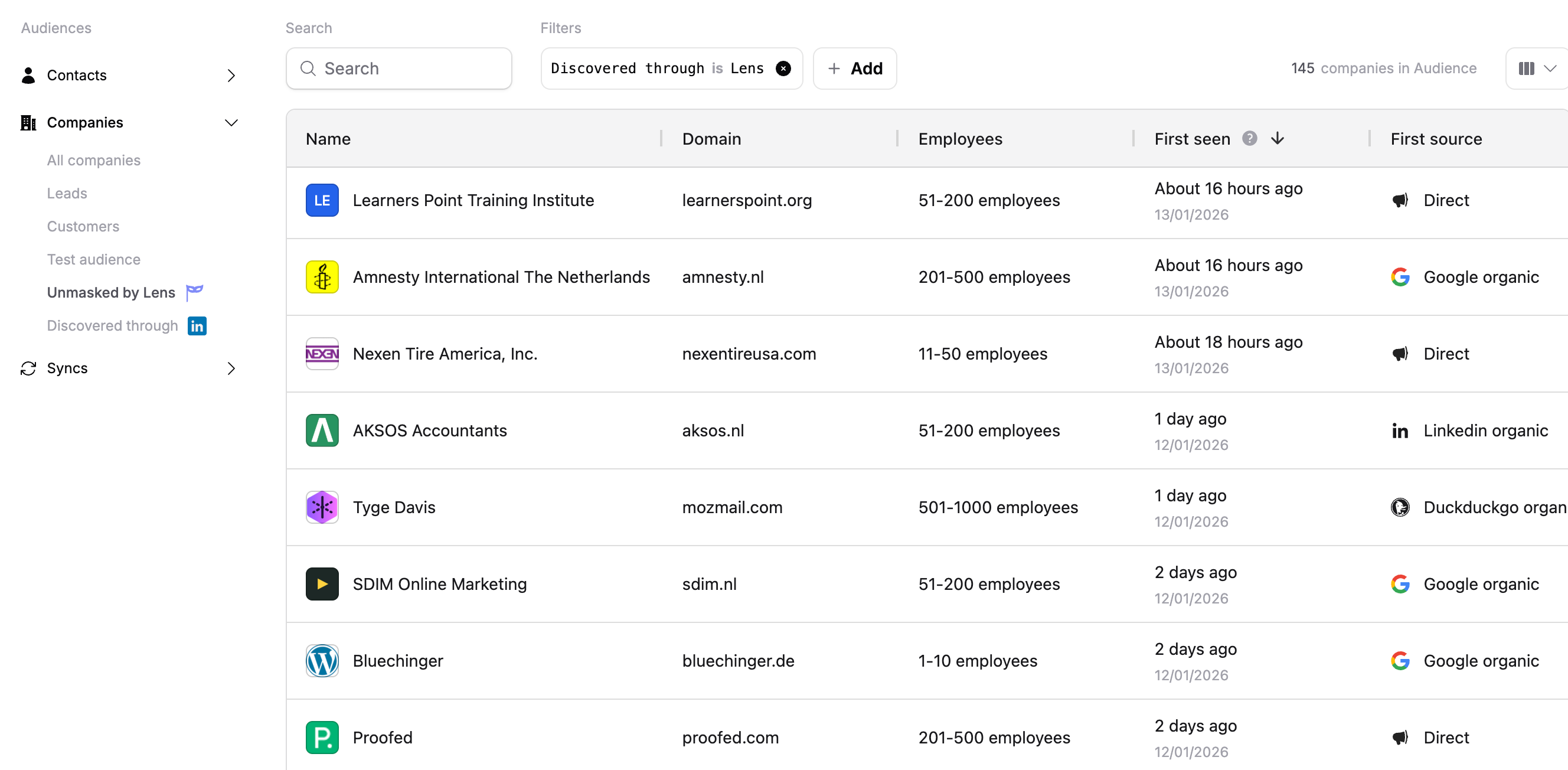
At this point, most teams realize they already have far more intent data than they thought.
Step 2: Define a High-Intent Audience
Next, we’ll define when sales should be notified.
Create a new audience with criteria like:
- Identified by Lens
- Employee count 250 < 500
- Hubspot company id is not set
This ensures alerts only fire for meaningful new business, not noise.
Important note, once Spectacle has identified a company and has managed to identify a contact as well we will no longer try to identify that business.
Step 3: Create the Automation
Now comes the part that changes behavior.
Create an automation with:
- Trigger: Company enters audience
- Action: Send Slack message
- Channel:
#leads(or any sales channel)
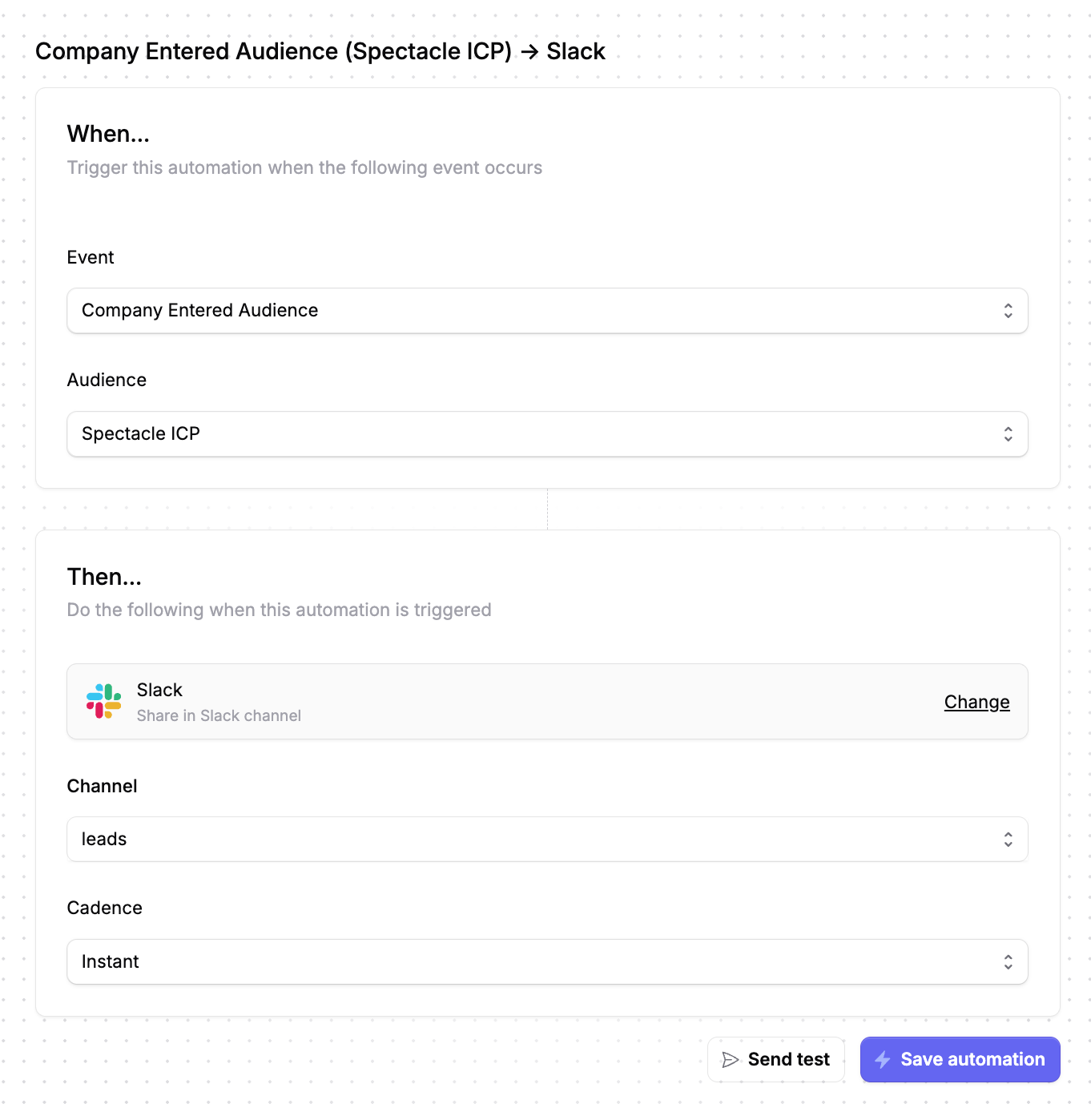
📸 SCREENSHOT 3 — Automation Setup
Show: trigger + Slack action
That’s it.
No integrations to babysit.
No manual routing.
Step 4: See It in Action
When a company meets your criteria, Spectacle sends a real-time alert to Slack.

Sales now knows:
- Who is showing intent
- What they looked at
- When it happened
All before a form is ever filled out.
Why This Works (and Forms Don’t)
Forms tell you who raised their hand.
Lens tells you who’s actually buying.
With this setup:
- Sales reaches out while intent is fresh
- Marketing sees which campaigns drive real interest
- RevOps replaces reactive workflows with intent-based routing
This isn’t more data.
It’s better timing.
Common Variations (Once This Is Live)
Once your first alert is running, teams often add:
- Target account filters (ABM)
- Enterprise thresholds (multiple visits, multiple people)
- Customer alerts (churn risk, expansion signals)
But don’t start there.
Start simple. Get value fast.
Get This Live Today
If you already have Spectacle Lens enabled, you can set this up right now.
👉 Create your first Lens audience
👉 Add a Slack automation
👉 Let sales respond to real buying intent
Two minutes. One alert. A very different sales motion.
Latest insights